Recording & editing
Capture, polish, ship.
Use the tabs to switch between recording controls and editing tools.
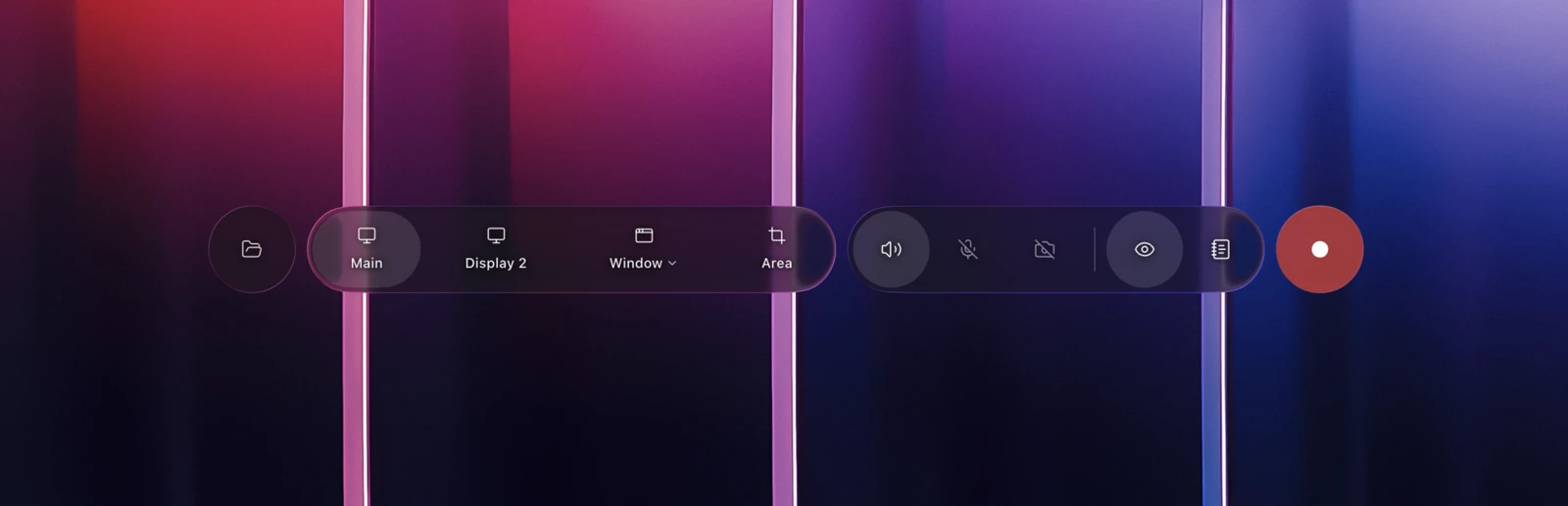
Capture area
Full screen, window, or a custom region with smart snapping.
Audio sources
Mix system audio with a chosen microphone in one pass.
Focus behavior
Auto-zoom follows clicks and scrolls without manual keyframes.
Cursor polish
Stabilization, size, and click emphasis for clarity.
Countdown & markers
3-second countdown plus chapter markers for edits later.
Quality presets
Balance fidelity and file size with tuned presets.
Start/stop withCmdShift2or pause withSpace.
Screenshot placeholder
Recording dock, capture modes, and audio settings.
Trim and cut
Slice the start, end, or pauses in one pass.
Transcript edits
Delete words to remove matching video segments.
Audio cleanup
Normalize voice and reduce background noise.
Chapters
Insert section markers for quick navigation.
Zooms
- Auto-zoom intensity: Dial in how aggressively the camera follows focus.
- Manual zoom hold: Pin the view during detailed walkthroughs.
- Zoom smoothness: Keep motion calm with easing presets.
Export
- Formats: MP4, MOV, or GIF for fast sharing.
- Resolutions: 1080p, 1440p, or custom dimensions.
- Bitrate control: Tune clarity vs. file size.
Saving & sharing
- Auto-save projects: Every edit is saved as you work.
- Version history: Create checkpoints before big changes.
- Quick share links: Generate a shareable file or link in seconds.
- Team handoff: Export with embedded chapters for clarity.
Undo changes withCmdZand export withCmdE.
Screenshot placeholder
Timeline, transcript editor, and export settings.